



SpinPanda is a relatively rare example of a gambling site that offers online casino entertainment without sports betting. This allows the administration to focus on a single area of activity, gathering a huge range of slots and live casino games, as well as developing a large number of specialised bonuses for all types of visitors. To enjoy the full range of features of the site, you must be registered and authorised. If customers have any problems or questions about authorisation, they should read this article.
SpinPanda Login
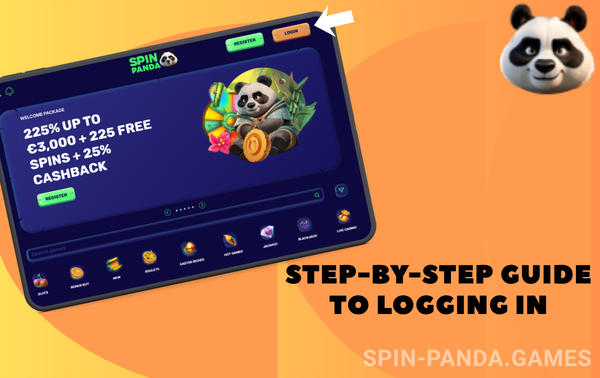
Step-by-step guide to logging in to SpinPanda
Authorisation at SpinPanda is made as simple as possible: even if you have never used online casino services before and have only very little experience of using modern gadgets, the procedure is still intuitive. Even easier will be those who have previously played at other sites – such visitors in principle will not encounter anything new in the process of entering the system. However, some of our users still have difficulties sometimes – that’s why we are in a hurry to offer you detailed instructions on how to authorise on the site or in the application.
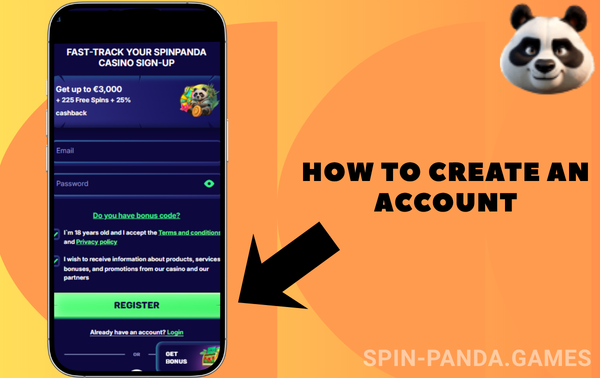
How to create an account at SpinPanda
For obvious reasons, only a current client who has previously registered can authorise at SpinPanda, as it is impossible to log in to an account that does not exist. You can register on the desktop and mobile sites, as well as in the mobile application for Android. You only need to register once: if you want to use the interface on another device in the future, just sign in. To register, click on the ‘Register’ button in any version of the interface, select one of the questionnaire types (more about them below) and provide all the requested data.
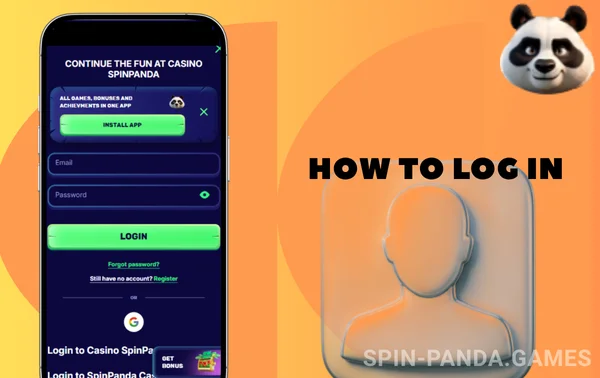
How to log in to SpinPanda?
If you have previously passed registration, you can now authorise on any device. To do this, you need to launch the SpinPanda website or mobile app and find the ‘Login’ button. Most authorisation methods assume that you know one of the login options and the password tied to it. If someone specifies both correctly, the system understands that this is the legitimate account holder.
At the same time, a visitor can be a legitimate account owner and still not remember his password. Especially for this case in the authorisation window there is a clickable inscription ‘Forgot your password?’; by clicking on it, specify one of your contacts known to our administration and follow the further prompts. You can start creating a new password immediately, as the old one will be reset for security reasons.
Methods of entry to SpinPanda
For the convenience of users, we have deliberately provided different ways to log in to a SpinPanda account. Even if the client has already managed to provide the administration with all the necessary data (which is mandatory, given that we verify players), it is still possible that you, for example, changed your phone number or lost access to the email account you registered your account with. In any of these situations, you will still be able to log in and you won’t even need to reset your password.
All of the login methods listed in the table below can be used on all types of devices. The only limitation is that our administration must explicitly associate you with the method you plan to use: if we don’t know that a player has an account with Line, we cannot authorise him using this method.
When registering with any of the methods, the user never provides all their contact details, but you can add them to your personal account later. We urge you to do so – by doing so you will greatly simplify login for yourself and can avoid serious difficulties in case of loss of access to one of the communication channels.
| Entry method | Login features |
| Login and password | Use your account ID, linked email or phone number as your login |
| SMS code | Enter your phone number and use the code from SMS instead of the password |
| Social networks | Authorisation via Telegram, Google, Line |
Login requirements
The primary requirement for anyone who wants to authorise at SpinPanda is registration. However, there are other factors that may make it possible or, on the contrary, impossible for a registered user to authorise. In some cases, incorrect actions of a registered customer will lead to the fact that they will still not be able to log in, and to prevent this from happening, let’s take a look at what the problem might be.
Verified accounts
Typical ways of registering an account at SpinPanda include creating an account by phone number or email. In both cases, a potential customer may make a typo by providing incorrect contact details; it also happens that a visitor does this intentionally, not wanting to disclose their own personal information. This is why we are obliged to verify that the contact details provided are yours.
With a phone number it is a little easier: at the moment of registration you receive an SMS with a code, and you must specify it directly in the registration form. If you register by email, you will complete the account creation, but then you have to activate it by clicking on the link from the email we send to the specified mailbox. If you have not activated your account within 3 days, your registration will be recognised as invalid and you will not be able to log in.
The administration of SpinPanda in the user agreement provided that some categories of players are not allowed to create an account. In most cases, this is due to legal requirements, because such categories of visitors do not have the right to access gambling:

minors;
incapacitated or partially incapacitated people;
Ludomaniacs included in the official registers;
those who already own one account.
To identify and weed out those who try to access gambling against the rules of the site, we have to verify users – you fill out a questionnaire with personal data, and then send photo documents to prove that the information is accurate. Until a player passes verification, his service is suspended, and if the wait is prolonged, the account can be frozen permanently.
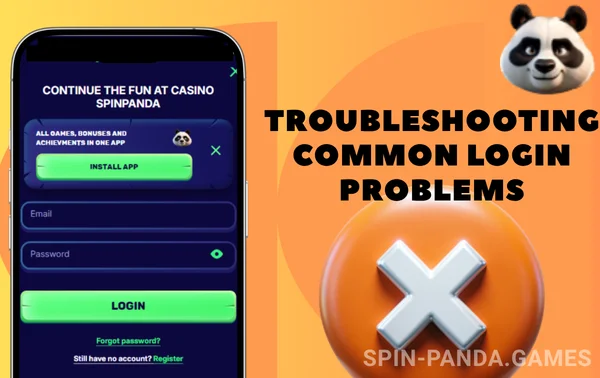
Troubleshooting common login problems
When crossing a state border, current SpinPanda users may encounter a situation where it is impossible to log in because access to the site has completely disappeared. This is most likely due to the presence of blockades by the state authorities of the country you are currently in. You can bypass such blockages with the help of VPN, you can also look for an actual SpinPanda mirror – an exact copy of our site, located at an alternative address.
If you can’t log in using your login or password, the first thing to do is to make sure you haven’t made a mistake when entering both, because the password is even case-sensitive. If you have forgotten your password, click on the inscription of the same name in the authorisation window; this will reset the old password, and you will receive detailed instructions on how to set a new code word to the contacts you specified.
After logging in: exploring SpinPanda features
Having authorised in the system, the user gets full access to all functions and features of SpinPanda. First of all, wanting to play for money, he can make a deposit in one of the convenient ways, and spend the deposited funds on any of the presented entertainment. If luck smiles on the visitor and he can win, his winnings can be withdrawn to a card, e-wallet or other available payment methods.
As a registered and authorised user, you can participate in the bonus programme, unless you refuse all bonuses and gifts. Participation in the drawings is automatically activated as soon as you fulfil the necessary qualification requirements – for example, by making a deposit of the appropriate size. You can play with the gift money immediately, but you will be able to collect your winnings only after you fulfil the wagering requirements.
The user can also take part in tournaments – competitions where the most active participants will share the prize fund. Unlike promotions, in a tournament you do not know in advance how intensively you will have to play, because the victory depends on how hard your competitors are trying.
| Main sections of the site | Sections description |
| Home | Overview of popular entertainment and promo banners |
| Slots | Classic slot machines with spinning reels |
| Live casino | Live video streaming entertainment with live dealers |
| Games | In-house development by SpinPanda team |
| Promotions | Raffles with fixed rewards for fulfilment of conditions |
| Tournaments | Competitions between users, where the most active participants will share the prize pool. |
How to place a bet
To place a bet, first check your gaming account balance and deposit funds if you are short of funds. Then select the game of interest from the Slots, Live Casino or Games sections. Filters will help you a lot in the selection process, for example:

by provider, if you have a favourite development team;
Recent shows the slots you’ve launched recently, and you can add your favourites to your favourites;
filter by builds allows you to sort new or popular entertainment;
filter by mechanics allows you to find games with ‘avalanche’ or a lot of winning combinations like Megaways;
thanks to chips you can show only slots with jackpot or other game features;
you can also choose the theme of the game – for example, Egypt, Christmas and so on.
Conclusion
The authorisation procedure at SpinPanda is not complicated – you will be able to log in in just a couple of clicks. There are several different ways to log in, so you won’t lose access to your account and can log in the way that suits you best. Thanks to the authorisation procedure, you can log in on different devices without violating the administration’s requirement of one account per person.